
Before mounting a TV: 7 details worth deciding first
A better TV-mounting project starts with viewing height, wall type, cable planning, and a clear picture of how the room is used.
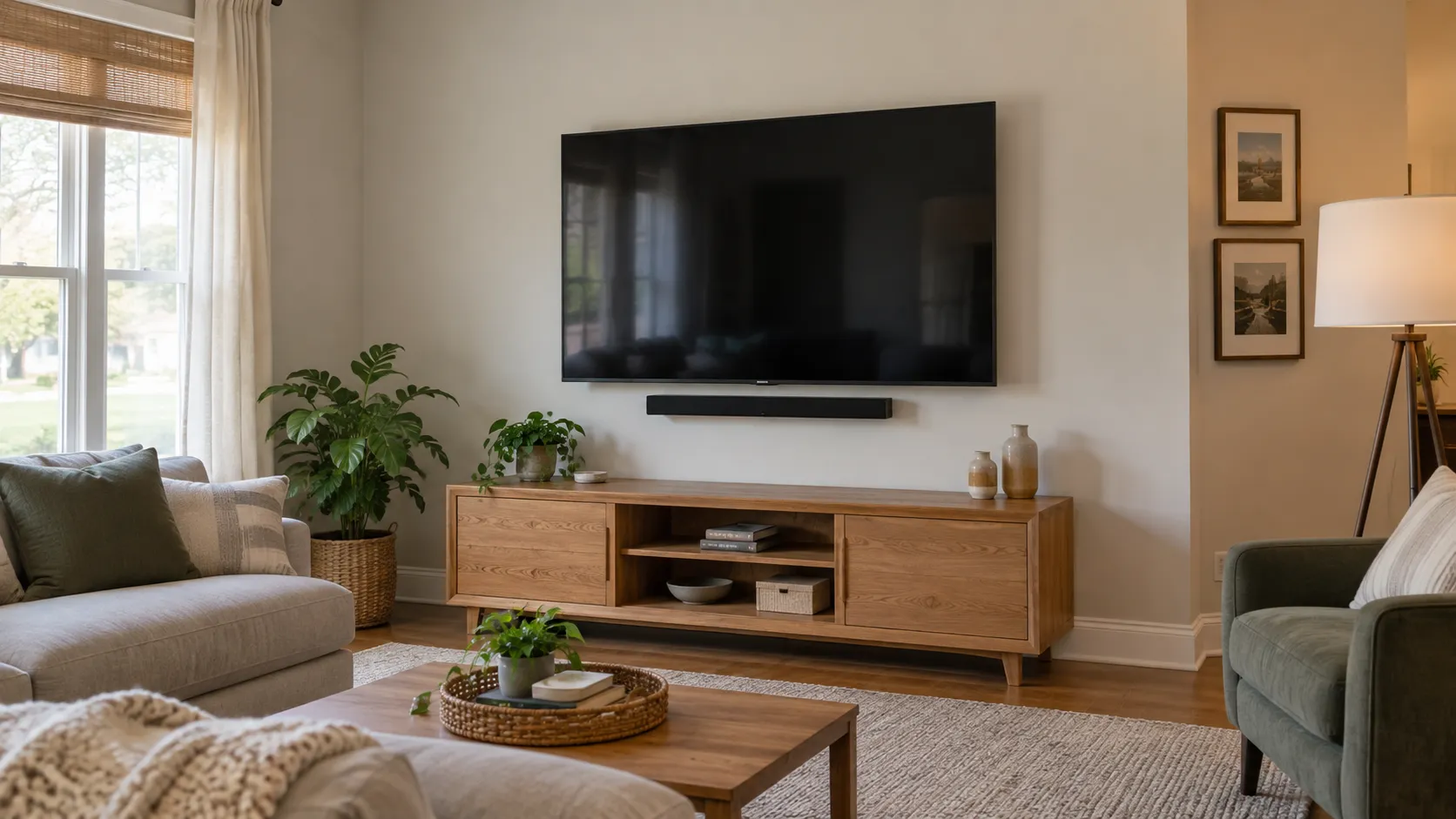
A wall-mounted TV can make a room feel more finished, free up furniture space, and make everyday viewing more comfortable. But a good result is not just about getting the screen on the wall. The best mounting plans account for where people sit, how the wall is built, where cables will go, and what needs to remain easy to reach once the work is complete.
Taking a few minutes to plan those details before buying a mount or choosing a location can prevent the most common disappointments: a screen mounted too high, cords that have nowhere sensible to go, a mount that does not fit the TV, or a finished wall that makes future changes harder than they need to be.
1. Start with where you actually sit
The screen should work for the main seating position, not only look centered from the doorway. Sit in the place where the TV will be watched most often and look toward the wall. Notice your natural eye level and how far away the wall is. A television that is too high can become uncomfortable during a long movie or game, even if it initially looks dramatic above a large cabinet or fireplace.
There is no single height that suits every room. Seating height, screen size, room layout, and whether the TV tilts all matter. The useful question is simple: can people watch without repeatedly lifting their chin? If the room has more than one seating area, prioritize the main viewing position and choose an angle that feels reasonable from the others.
Painter’s tape is an easy planning tool. Mark a rough outline of the TV on the wall, then sit down and look at it for a day or two. This helps reveal whether the screen feels too large, too high, too close to a doorway, or awkward next to a window before holes are made.
2. Check the TV and mount before installation day
Most modern televisions use a mounting pattern on the back called VESA. The mount and the TV need to match that pattern as well as the weight rating. Before ordering or scheduling, confirm:
- The TV size and model number.
- The mounting-hole pattern shown in the TV manual or specifications.
- The television’s weight without its tabletop stand.
- Whether the chosen mount is fixed, tilting, or full-motion.
- Whether the mount is rated for the wall type and the TV’s size.
A fixed mount keeps the TV close to the wall and creates a clean, simple look. A tilting mount can help when the screen needs to sit a little higher. A full-motion mount allows the screen to move or turn toward different seating areas, but it needs extra room, careful mounting, and a flexible cable plan.
Keep the mount hardware, TV manual, remote, and any soundbar parts together. If the box includes several sizes of screws or spacers, do not guess which ones to use. The right hardware depends on the specific television and mount instructions.
3. Know what is behind the wall
The wall surface matters. Drywall is common, but the structure behind it may include wood studs, metal studs, masonry, concrete, or a combination of materials. A TV mount needs to be secured using a method appropriate for the wall and the load it will carry.
This is one reason a quick photo and a few room details are helpful before the appointment. A wall that appears simple may have a utility chase, fireplace construction, an old mounting location, or other details that affect placement. It is also useful to note whether the wall is shared with another room, whether it has outlets nearby, and whether a stud finder has already identified likely mounting points.
Avoid treating a TV mount as a simple picture hook. A large screen adds leverage to the wall, especially on an articulating mount. The mounting plan should be based on the mount manufacturer’s instructions and the actual wall structure.
4. Decide what happens to the cords
Cable planning is often the difference between a clean-looking installation and one that feels unfinished. Think about every item that needs to connect to the TV:
- Power cord
- Streaming device or cable box
- HDMI cables
- Game console
- Soundbar or audio receiver
- Antenna, network, or other accessory cables
Decide where each device will live. Some setups keep everything on a nearby console; others use a small shelf, cabinet, or organized equipment area. Leave enough slack to connect and service equipment later, especially with a mount that tilts or moves.
For power, use a safe, code-compliant solution. Do not run a standard TV power cord through a wall or use a setup that is not designed for that purpose. If a new or relocated outlet is needed, that should be evaluated and completed by the appropriate licensed electrical professional. A handyman can help with the mounting, layout, and the non-electrical parts of the setup while keeping the right work with the right trade.
5. Make room for a soundbar and accessories
If the TV will have a soundbar, make a plan for it before the screen is mounted. A soundbar might sit below the television, attach to the mount, or live on furniture under the screen. Its final position should not block the TV’s remote sensor, cover an outlet, or crowd a walkway.
The same goes for cameras, game consoles, media boxes, and decorative shelves. A simple sketch is enough. Mark the TV, the furniture below it, the nearest outlet, and any accessory that needs a cable. This gives everyone a clearer picture of the finished setup and reduces last-minute decisions.
6. Think about glare before choosing the wall
Windows, overhead fixtures, and bright lamps can change the way a TV looks during the day. Before finalizing the wall, look at the room in the morning, afternoon, and evening. Is there direct sun across the screen? Does a window sit opposite the planned TV wall? Will a lamp or ceiling fixture create a reflection where people sit?
A different wall, a tilting mount, window coverings, or a change in seating can sometimes solve glare without making the room feel darker. It is much easier to notice this before the mount is installed than after the TV is already in place.
7. Send a few useful details with the estimate request
The fastest way to get a helpful answer is to send enough information for the project to be understood. A few photos are usually more useful than a long description alone. Include:
- A photo of the full wall and the nearby furniture.
- A photo of the TV label or the model number.
- A photo of the outlets and the equipment that will connect to the TV.
- The approximate size of the screen.
- The mount you have, or the kind of mount you are considering.
- Any special concern, such as a fireplace, brick wall, cable concealment, or a soundbar.
Those details help identify what is straightforward, what needs a closer look, and whether another licensed trade should be involved. They also make it easier to plan the right amount of time for the job.
A finished setup should stay practical
The best TV mounting project is one that feels natural once the room is back in use. The screen is comfortable to watch, the equipment has a sensible home, cables are planned, and the wall does not feel overloaded. Spending a little time on those decisions before installation lets the finished space look intentional instead of improvised.
If you are planning a TV mounting project in Great Bend or the surrounding areas, send JACK the details for an estimate or call with a few photos and the TV model. A clear plan makes the next step much easier.